Table of Contents
Choosing the Right Cloud Storage App for Your Needs
Looking to stream your movies, photos, and music no matter where you are? pCloud has you covered with smooth media access anywhere on the planet. If you're all-in on Apple gear, iCloud works like magic across your iPhones, iPads, and Macs, keeping everything in sync effortlessly. For fans of Microsoft and Windows, OneDrive integrates like a charm, making file management feel native. Dreaming of limitless space to stash your files and backups? Jottacloud offers practically endless storage to keep your digital life intact. And if your top priority is ironclad privacy and security, Proton Drive wraps your data in layers of encryption so private that even spies would give up.
The best cloud storage app really comes down to how you want to use it. Are you storing photos, sharing documents, or backing up your entire digital universe? What gadgets do you rely on daily? Do you want extras like built-in document editors or calendar syncing for remote meetings? Your needs shape the perfect choice.
Still wondering if cloud storage is worth it? Let's get real: the safest way to keep hackers at bay is to stay offline, using a private network-attached storage (NAS) server or external hard drive. But beware - hard drives have their quirks, including an average annual failure rate of about 1.46%. That means relying on just one physical device is a gamble. Multiple backups in different places-both physical and cloud-are your best bet to sleep easy.
No matter where you stash your digital treasures, don't skimp on security. Use strong passwords, enable two-factor authentication, and keep your software up to date. A little vigilance keeps hackers scratching their heads while you enjoy seamless, safe syncing. That's the kind of digital peace Rabata champions for every user.
Want to dive deeper? Check out some related comparisons and tips that make choosing cloud storage a breeze:
- OneDrive vs. Google Drive
- Dropbox vs. OneDrive
- Dropbox vs. Google Drive
- How to free up space in your Google account
- The best document management software
Effortless Backup for Your Computers
Imagine never worrying about losing a single file again. With Rabata's secure cloud storage, your business or home computers get automatic backups that just work - endlessly and invisibly.
No need to lift a finger. Your documents, photos, projects, anything you care about, get safely tucked away in the cloud, guarded against ransomware, accidents, or that pesky coffee spill on your keyboard.
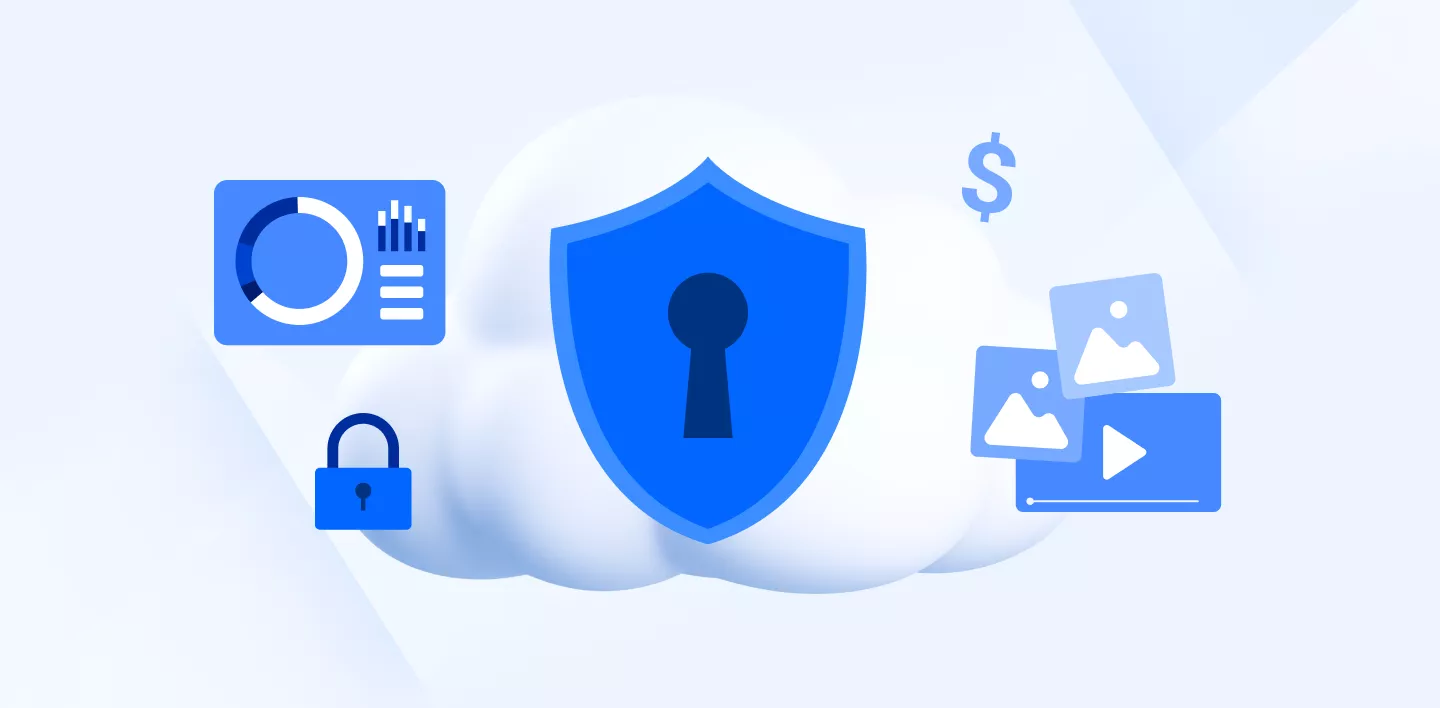
Secure and private cloud storage with Proton Drive
Proton Drive compatible with Windows, Mac, iOS, Android, and Web
Proton Drive comes packed with privacy-focused tools beyond simple cloud storage. You get a secure email service, a VPN to mask your online activities, a password manager to keep your logins safe, and other handy apps to complete your privacy ecosystem.
The real star here is Proton's end-to-end encryption. That means your files are locked down tight - only you hold the key. Not even Proton's team can peek inside. It’s like having a digital vault with a guard who never blinks.
On the downside, Proton Drive caps its storage at 1TB on the Personal plan and 3TB on the Family plan. If you're a hoarder of big files or a serious media junkie, that limit might feel a bit tight.
For privacy advocates and supporters of open-source solutions, Proton Drive is a dream subscription. It bundles all the essentials you need to protect your data: encrypted cloud storage, email, VPN, password management, and even a crypto wallet. And remember, everything stays under your control without compromise.
Proton works smoothly across your devices. Setting it up and using it won’t require a PhD in tech jargon. Plus, you always know your sensitive information is guarded from prying eyes.
Inside the Proton ecosystem, Proton Drive isn’t just about storage. It also organizes your photos and videos elegantly while backing them up safely. Another neat perk is Proton Docs, where you can create and edit documents online. Unlike some other platforms that scan your files with AI, Proton Docs keeps your content 100% private and AI-free.
This all-in-one privacy bundle offers excellent value for those who want everything protected without juggling multiple subscriptions. Just keep in mind the storage ceiling if you have a lot to back up.
Here’s the pricing rundown for Proton Drive: a free plan with 5GB to get you started; $4.99/month for 200GB; $12.99/month for 500GB, which also throws in access to VPN, Mail, and Calendar; $19.99/month for 1TB; and $29.99/month for 3TB, ideal for families or one very organized digital minimalist.
How to Pick the Perfect Cloud Storage for Your Personal Needs
Remember the good old days of analog cameras? Back then, capturing a moment meant loading film, snapping a photo, and then waiting anxiously for the pictures to develop. Those printed memories found their eternal home in bulky photo albums, lovingly passed down like family heirlooms. Each snapshot was a tangible piece of history, something you could hold in your hands and share around the dinner table.
Flash forward to today, and our cherished memories have gone digital. Photos, videos, documents, and music no longer fit in albums-they live inside hard drives and cloud accounts. But with digital convenience comes a new challenge: finding a storage solution that keeps your files safe from nosy hackers while offering plenty of space for your ever-growing collection. This is where Rabata's secure cloud storage steps in to save the day, ensuring your data stays protected and easily accessible.
Not so long ago, our data-life revolved around USB drives and laptop hard disks. They were our best friends and, sometimes, our worst enemies. One tiny crash or accidental drop, and poof-your files could vanish into the digital mist. It’s a heartbreak we’ve all felt: that sinking feeling when a precious project or family photo disappears without a trace. Rabata understands this pain, which is why our cloud storage is built to keep those moments safe and sound.
Luckily, cloud storage has changed the game, offering a smarter way to store and backup your files with peace of mind. But with a sea of options out there, picking the right one can feel overwhelming. Don’t worry. We’ll guide you through what matters most-helping you find the perfect fit for your personal needs so you can store, protect, and access your files without a hitch.
Evaluate Your Storage Needs Before Diving In
Start by asking yourself: how much space do I really need? This depends heavily on what kind of files you're hoarding. Are you drowning in PDFs and spreadsheets? Or maybe you’re the family photo archivist with thousands of crisp HD images? If you’re a budding filmmaker, getting your hands on hours of 4K footage quickly balloons your storage needs-a single video can gobble up 10 to 15 gigabytes or more.
If you're just casually saving a handful of files, a free 5GB plan might cover you for now. But if media files dominate your collection, consider going big with at least 1TB, or even better, unlimited storage. Rabata’s flexible plans let you start small and scale up as your digital empire grows-no need to stress over running out of space tomorrow when you have smaller needs today.
Lock Down Your Data With Serious Security
When it comes to sensitive data, compromising is not an option. You don’t want to be the person whose family photos or confidential documents get hijacked by cyber baddies in some shady corner of the internet. Rabata's cloud storage uses end-to-end encryption, combined with two-factor or multi-factor authentication, so only you hold the keys to your digital kingdom. That means no sneaky unauthorized access, ever.
Free or Premium Plans? Weigh Your Options Wisely
Let’s be honest-free plans sound great, especially when you’re pinching pennies. They usually throw in 5GB to 15GB of storage at zero cost, which might work for storing a few random files. But what happens when that free quota fills up? You’re stuck deciding whether to delete precious files or cough up cash for an upgrade.
Premium plans are like the VIP section for your data. They offer a range of storage options tailored to your needs, plus extras like automatic backups, file versioning (hello, undo button for your mistakes), advanced sharing features, and top-of-the-line security. Rabata’s premium packages are designed to keep your digital life streamlined and worry-free-plus, you get to avoid ugly "Storage Full" notifications.
Seamless Sync Across All Your Gadgets
Picture this: you start writing a document on your laptop at work, tweak it on your phone during the commute, then polish it off on your tablet after dinner. Sounds like magic? No, it’s just smart cloud storage in action. With Rabata, your files stay perfectly synced across all your devices-Windows, macOS, Android, iOS-you name it.
Even better, Rabata offers mobile apps for quick access on the go. And if you’re sometimes offline, no worries-we provide offline access so your files follow you everywhere, even where the internet doesn’t.
Choose Flexibility and Scalability for the Long Haul
Your storage needs tomorrow might be totally different from today’s. Maybe a new project kicks off, or you’re welcoming a little one who’ll flood your storage with photos faster than you can say “cheese.” Rabata understands this, which is why our solutions are built to grow with you.
Planning ahead saves headaches, and with Rabata, you can start modestly and easily upgrade as your digital vault expands. The smart scalability ensures that your precious data-whether documents or baby’s first steps on video-is preserved without hassle, no matter what your future holds.
Real Trust, Real Security - Peace of Mind with Rabata Cloud Storage
Mario Hernandez, IT Manager III at the Caesar Kleberg Wildlife Research Institute, sums it up perfectly: 'I have full trust in Rabata that, if something goes sideways, I can quickly retrieve whatever I need. Fingers crossed it never happens, but just knowing our data is safe gives me real peace of mind.'
When you’ve got decades of critical research data at stake, trusting your storage isn’t just about tech-it’s about confidence. Rabata’s secure cloud solution ensures you’re covered no matter what happens. You’re not just storing data; you’re protecting a legacy.
Quick implementation, lasting protection
| 1 day | Implementation |
| 40 years | Legacy Protected |
| $0 | Restore Costs |
Getting started with Rabata is fast and painless - setup takes just one day. After that, your data gains an ironclad shield, safeguarding priceless information for decades. Plus, you won’t pay a dime when it’s time to restore. Zero surprise costs, zero stress.
The Best Cloud Storage Solution for Apple Fans
iCloud: Apple's Built-in Cloud Storage (Windows, Mac, iOS, Web)
Let's start with what makes iCloud truly stand out for Apple users. One of the biggest perks? The Apple One plan. It’s not just cloud storage. This plan bundles music, TV and movies, news, games, and workouts-all under one roof, for a price that feels like a steal. You get a full entertainment and productivity package, making your Apple ecosystem feel like it’s playing nicely together.
Since iCloud is baked into every Apple device, syncing files, photos, and backups feels effortless. No clunky apps to download, no complicated setups. It just works, whether you're on your iPhone, MacBook, or even the Apple TV. Everything stays in harmony, and your digital life stays neatly organized.
But it’s not all sunshine and rainbows. iCloud does have its quirks. For starters, if you’re not careful, your photo library can gobble up most of your storage space faster than you can say “cheese.” And while Apple finally rolled out a Windows app, the experience still isn’t fully cross-platform. Android users are out of luck if they want a seamless fit, which keeps iCloud mostly a fortress for Apple-only devotees.
Speaking of Windows, here’s a plot twist: iCloud’s foray into Windows desktops now offers a glimmer of hope for those juggling a Windows PC at work and Apple devices at home-think of it as your digital “Severance.” While it's not a perfect cross-platform solution, it’s a welcome bridge for hybrid users.
Apple was ahead of the curve when it came to generous storage options, pioneering 6TB and 12TB plans well before others caught on. Though competitors now offer similar or better prices, Apple hasn’t just sat still. They've split their offerings into iCloud+ and the Apple One subscription, each with its own perks that keep the ecosystem fresh and competitive.
iCloud+ is more than just extra space. It doubles down on privacy and security, letting users hide their email from pesky apps, block tracking attempts, and store passwords safely. Meanwhile, Apple One is the multitool of subscriptions, bundling iCloud+, TV, Music, Arcade games, Fitness+, and News into a single plan. And yes, you can share it with up to five friends or family members-happy to spread the goodness.
On a personal note, Apple One has kicked out all my other subscriptions. No more juggling newspaper apps or music services. Do I actually do workouts on Fitness+? Let’s just say I have the option, and that’s what counts. It turns your Apple devices from mere gadgets into full entertainment and productivity centers.
| Plan | Price |
| Free | 5GB |
| iCloud+ 50GB | $0.99/month |
| iCloud+ 12TB | $59.99/month |
| Apple One (varies) | $19.95 - $37.95/month |